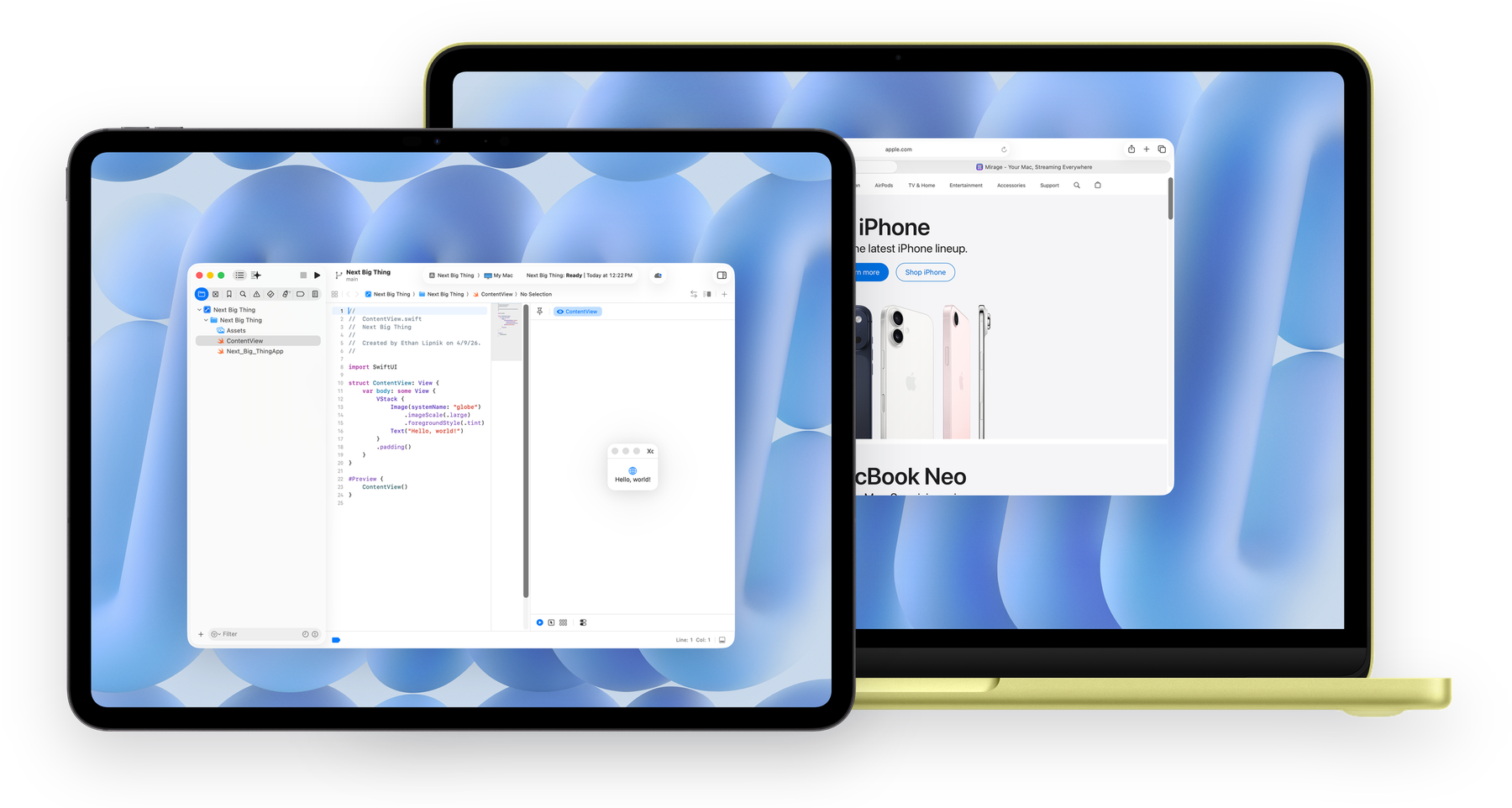
Real-time window streaming for Apple devices

Your Mac,
streaming to
every screen.

Stream any window or your full desktop to your Apple devices with ultra-low latency. Just your Mac, wherever you are.

Available for: macOS iOS iPadOS visionOS
Window Streaming Desktop Mirroring ProMotion Apple Pencil Encrypted Media Ultra-Low Latency Audio Streaming iCloud Auto-Trust Window Streaming Desktop Mirroring ProMotion Apple Pencil Encrypted Media Ultra-Low Latency Audio Streaming iCloud Auto-Trust

Built for how you
actually work.

Window Streaming

Stream one app or multiple windows at once, including Xcode, Figma, and Logic Pro, without sharing your full desktop.

Desktop Streaming

Use your iPad as a secondary display, or stream your full desktop to any Apple device. Headless Mac support included.

ProMotion

120Hz streaming on ProMotion iPads. Scrolling, drawing, and animations feel native.

Apple Pencil

Full pressure, tilt, and orientation data. Use your iPad as a drawing tablet for Photoshop, Illustrator, and more.

Encrypted Media

Mirage Pro encrypts video, audio, and input packets between your devices for protected streaming sessions.

Ultra-Low Latency

Low enough latency to draw, scroll, and work in real time. Mirage Pro adds Proximity Connect for streaming without a shared Wi-Fi network.

iCloud Host Sync

Your own devices discover hosts automatically through iCloud, and Mirage Pro adds first-party VPN access with Tailscale or OpenVPN.

Audio Streaming

Stream your Mac's audio alongside video with stereo, up to 5.1 surround, and lossless audio options.

Pixel-Perfect Display

Native Retina resolution with correct aspect ratios. Resize freely, rotate between orientations, and every pixel stays sharp.

Three steps.
That's it.

Mirage streams over your local network. Mirage Pro adds Proximity Connect for peer-to-peer links when the system exposes them, plus remote access over Tailscale or OpenVPN.

1

Install the host.

Download Mirage Host on the Mac you want to stream from. A quick wizard handles permissions.

2

Get connected.

Open Mirage on your iPad, iPhone, or Mac. Your host appears automatically over Bonjour.

3

There's no step 3.

You're done. Pick any app window or stream your entire desktop. Input, audio, and Pencil work instantly.

Why Mirage?

See how Mirage stacks up against other ways to extend your Mac.

Feature Mirage Sidecar Workbench Jump Desktop
Use as a secondary display
Proximity Connect
Apple Pencil pressure & tilt ~
Apple Vision Pro (native)
No shared Apple Account needed
Headless Mac support
Remote access over VPN
End-to-end encryption ~
Individual window streaming
120Hz ProMotion
10-bit Display P31
Remote wake & unlock from login2 ~
1 10-bit Display P3 indicates Display P3-equivalent wide-gamut color coverage on compatible hosts; canonical profile identity may vary.
2 Remote wake and unlock from login are experimental and are not part of the first public App Store release.

Free to start.
Pro when you're ready.

Start for free with generous limits. Upgrade to Pro to unlock the full power of Mirage, with a free trial included.

Free

$0

forever

  • Up to 720p resolution
  • 8-bit color
  • 60Hz streaming
  • 1 app window at a time
  • Local network connections
  • Mono audio
  • Apple Pencil support

Mirage Pro

$4.99/mo
or $39/yr Save 35%

free trial included

  • Uncapped resolution with Retina + 10-bit color
  • 120Hz ProMotion
  • Up to 8 app windows at a time
  • Proximity Connect peer-to-peer links
  • Remote access over Tailscale or OpenVPN
  • End-to-end encrypted media
  • Lossless audio and up to 5.1 surround
  • Enhanced dictation

Lifetime

Pay once, keep forever. All future updates included.

$119

one-time purchase · all Pro features

Powered by Twill.

Twill is Mirage's source-available streaming layer, built with Loom and MirageKit for low-latency peer-to-peer performance across Apple devices.

Your Mac, on every screen.

Download Mirage free on the App Store. Available for macOS, iOS, iPadOS, and visionOS.

Download on the App Store Download Mirage Host for Mac